Resources
Practical IT guides
Articles on Microsoft 365, cybersecurity, IT management and other business technology questions.

How to Fix Slow Wi-Fi in Your Office
To fix slow office Wi-Fi, check whether the problem affects one device, one area, or everyone, then compare Wi-Fi with a wired connection. Poor coverage, radio interference, heavy usage, and device…

How to Protect Your Business Data from Unsafe Browser Extensions
Browser extensions can read confidential information on websites where they have the necessary access, including pages you open after signing in. Reviewing their publishers, permissions, and data…

How to Protect Your Business from AI Voice Scams
AI voice scams use copied voices to impersonate owners, colleagues, or suppliers. A familiar-sounding caller may ask your team to send money, change bank details, or share a sign-in code. Confirm…

How to Protect Your Business from Fake Job Applicants
Fraudulent job applicants use false or stolen identities to get hired, receive company equipment, and gain access to business systems. Identity and employment checks help confirm who you’re hiring…
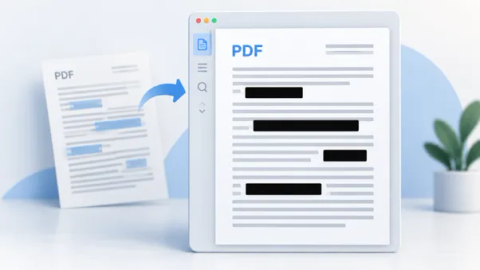
How to Remove Confidential Information from a PDF Before Sharing It
To remove confidential information from a PDF, use a redaction tool to delete the content, apply the changes, and save a separate copy. Check repeated details, scanned images, and hidden information…

What to Do with Old Computers Before You Sell or Recycle Them
Before selling, donating, or recycling a work computer, keep usable copies of the records you need and arrange secure erasure or destruction of its storage. Include every drive, coordinate account…

Securing email after a password reset
A password reset can leave other email access in place. Check sessions, forwarding, connected apps and recovery methods after an account compromise.

Keeping control of your business domain
Check who holds your domain registration, who can recover the account and how it renews, with specific guidance for Canadian .CA domains.

Planning an office move around your IT
Plan internet, cabling, phones, backups and testing before an office move, including the Canadian emergency-calling details to check with your provider.

Protecting your business social accounts
Review page administrators, agency access, recovery details and advertising permissions so your business can protect and recover its social accounts.

Questions to ask after a vendor data breach
A practical checklist for assessing a software vendor's breach, protecting connected accounts and deciding what your Canadian business needs to do next.

Replacing shared logins at work
Replace shared staff logins with named accounts, delegated access or shared mailboxes, and manage exceptions when software only supports one login.
Want advice for your own setup?
We can help you apply the advice to your systems and work out what needs to change.